


AI coding assistants can create an application in minutes. They can generate APIs, write Dockerfiles, configure CI/CD pipelines, and even suggest infrastructure as code.
But speed does not guarantee security.
An AI assistant may generate a working login flow that does not properly enforce authorization. It may include an outdated dependency, expose a secret in a configuration file, or create a container image that runs with unnecessary privileges.
The answer is not to stop using AI for development. It is to apply DevSecOps practices throughout the AI-assisted development lifecycle.
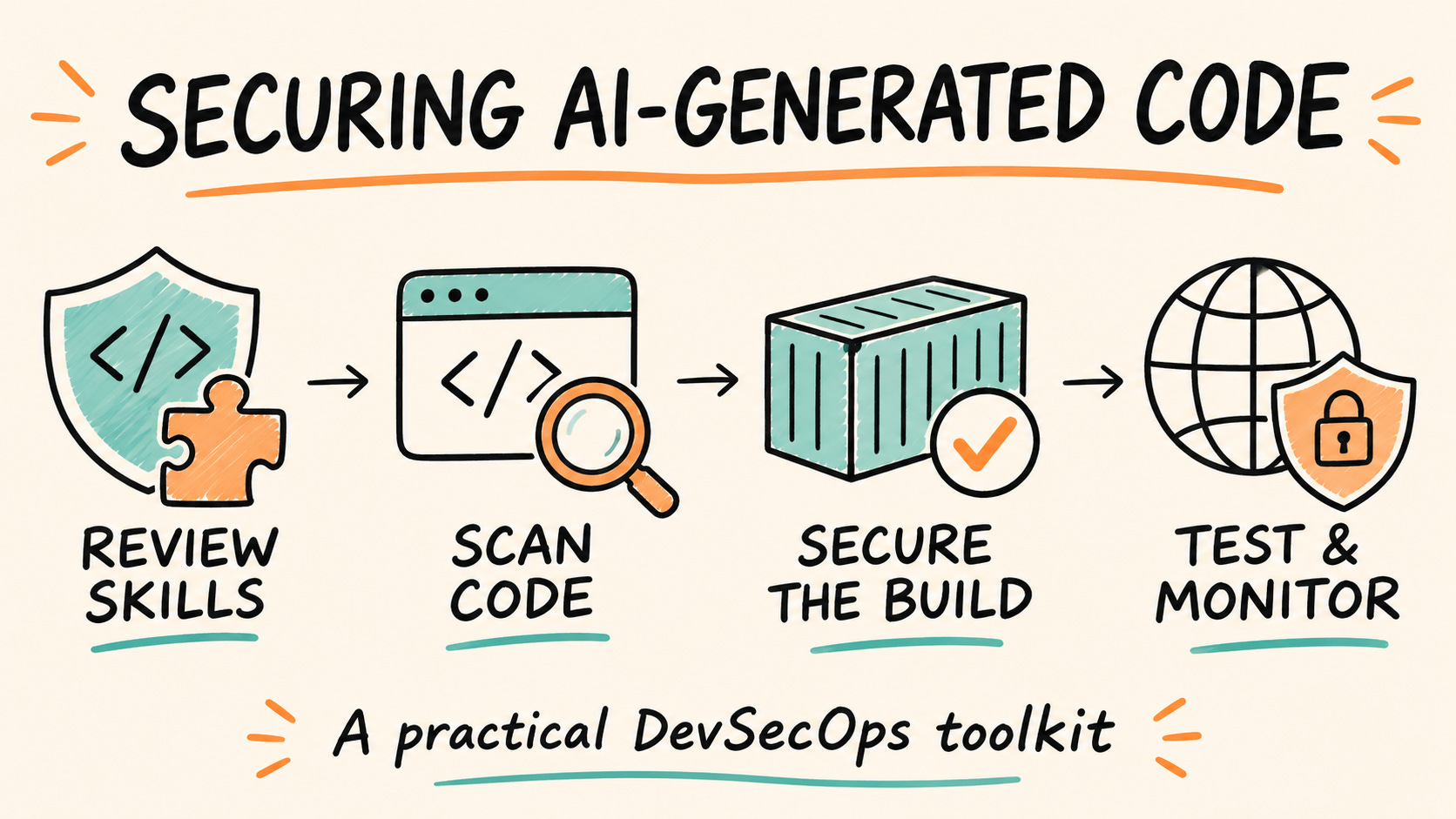
In this article, we will explore tools that help secure:
The skills and files you bring into your development environment.
The code and infrastructure your AI assistant creates.
The application and container images you prepare for release.
The running application and any AI features it exposes.
We will also look at where AI-powered security tools fit alongside established scanners—and where human judgment is still necessary.
Note: The tools and commands in this article were checked against their official documentation in November 2026. Features, pricing, licensing, and availability can change, so review the current documentation before adopting a tool.
Why AI-generated code needs security review
Consider a developer using an AI coding assistant to build a customer support application.
The developer asks the assistant to:
Create a Python API.
Connect it to a database.
Add authentication.
Package it in a container.
Deploy it to Kubernetes.
Add an AI chatbot to answer customer queries.
The result may work perfectly in a demonstration. Yet the application could still contain issues at several layers:
LayerExample riskAI assistant and skillsA malicious skill instructs the agent to access or disclose sensitive files.Source codeAn API endpoint checks whether a user is logged in but fails to check whether they own the requested record.SecretsAn API key is committed to Git, including in an earlier commit.DependenciesThe application uses a library with a known vulnerability.ContainerThe image contains vulnerable packages or unnecessary credentials.InfrastructureA Kubernetes workload runs with excessive privileges.Running applicationA deployed service exposes a vulnerable endpoint.AI functionalityA chatbot is manipulated into disclosing sensitive context or invoking a tool inappropriately.
No single scanner reliably detects all of these problems. A stronger approach uses multiple, complementary controls.
A DevSecOps lifecycle for AI-assisted development
We can organize the tools in this article around four stages:
Before installation: Review skills and downloaded files.
During development: Scan code, secrets, and configurations.
Before release: Review changes and scan build artifacts.
After deployment: Test the running application and its AI features.
These stages are not rigid. For example, you should scan container images before release and regularly rescan them after deployment as new vulnerabilities are disclosed.
1. Before Installation: Review What Enters Your Environment
AI coding agents can use skills, plugins, scripts, MCP servers, and other extensions to perform specialized tasks.
These components may contain useful instructions and code, but they also introduce supply-chain risks. A malicious or compromised component might attempt to read local files, execute commands, or send information to an external endpoint.
Tool 1: NVIDIA SkillSpector
Purpose: Scan AI agent skills for potential security risks before installation.
Project: NVIDIA SkillSpector on GitHub
A skill typically provides instructions and supporting files that tell an AI agent how to perform a particular task. Depending on the environment and permissions, an agent following those instructions may be able to execute commands or access files.
SkillSpector analyzes skills for patterns associated with risks such as:
Prompt injection and instruction overrides.
Suspicious commands and remote script execution.
Potential data exfiltration.
Vulnerable dependencies and supply-chain concerns.
For example, imagine downloading a skill that claims to help generate Kubernetes manifests. During review, a scanner identifies an instruction that asks the agent to upload local configuration files to an unrelated external URL. That finding deserves investigation before the skill is used.
Where it fits: Before adding third-party skills to Claude Code, Codex, or another compatible agent environment.
Important limitation: A clean scan is a useful signal, not proof that a skill is safe. Review its instructions, bundled scripts, origin, requested permissions, and network access. SkillSpector’s documentation also describes optional LLM-based analysis, so consider whether sending skill contents to a model provider is appropriate for your organization. GitHub
A practical skill review checklist
Before installing a skill:
Check who maintains it and where it comes from.
Read the main instructions and inspect supporting scripts.
Scan it with an appropriate tool.
Check whether it requests access beyond its purpose.
Test it in an isolated environment with limited credentials.
Pin and periodically review the version you use.
Tool 2: ClamAV
Purpose: Scan downloaded files for known malware.
Project: ClamAV
ClamAV is an antivirus engine that can scan files for malware using its detection capabilities and signature databases.
In an AI-assisted workflow, you might use it to scan:
Downloaded archives.
Files submitted by users.
Scripts or packages obtained from external sources.
Artifacts transferred between environments.
ClamAV is useful for malware detection, but it does not understand every instruction in an AI agent skill. A malicious prompt hidden in a text file may not resemble conventional malware. That is why antivirus and skill-specific review address different risks.
Where it fits: File ingestion and malware scanning workflows.
2. During Development: Scan Code, Secrets, and Configurations
Security checks are most useful when developers can run them early and fix issues while the relevant code is still fresh in their minds.
Tool 3: Cloudflare Security Audit Skill
Purpose: Guide a compatible coding agent through a structured security audit.
Project: Cloudflare Security Audit Skill
This is an AI agent skill designed to help perform multi-phase security reviews of codebases and produce structured findings. Depending on the agent and environment, it can help investigate vulnerabilities, trace how data moves through an application, and collect evidence for findings. GitHub
For example, you could ask a coding agent to review an API for authorization issues:
Review the customer API for authorization weaknesses. Identify endpoints that access customer records, trace how the authenticated user’s identity is checked, and report any places where one customer may be able to access another customer’s data. Include file references, assumptions, and recommended fixes.
This kind of review can be particularly useful for problems that require understanding the relationship between multiple files.
Where it fits: Focused code reviews, threat-driven audits, and investigation of complex application logic.
Important limitation: An AI-generated finding may be wrong, incomplete, or based on incorrect assumptions. Verify the code path and test the proposed fix. Also review the skill itself before installing it—the same supply-chain principles apply to security tools.
Tool 4: TruffleHog
Purpose: Find potentially exposed secrets.
Project: TruffleHog on GitHub
Developers sometimes accidentally commit:
Cloud access keys.
Database passwords.
API tokens.
Private keys.
Service account credentials.
Deleting the secret from the latest version of a file does not necessarily remove it from Git history. TruffleHog can scan Git repositories and other supported sources for exposed credentials. Some detectors can also attempt to verify whether a discovered credential is valid, subject to the detector and configuration. GitHub
For a local repository, an example scan is:
trufflehog git file://.Run this from the root of the repository after installing TruffleHog. Review its documentation for options appropriate to your version and environment.
What if a real secret is found?
Treat the secret as potentially compromised:
Revoke or rotate it promptly.
Determine what the credential could access.
Review relevant access logs.
Remove it from the working tree.
Follow your organization’s process for handling exposure in Git history.
Store replacement credentials in a suitable secrets management system.
Removing a secret from a file is not a substitute for revoking it.
Also treat scanner reports as sensitive: they may contain details about detected credentials. Understand whether any verification feature contacts external services before enabling it.
Tool 5: Semgrep
Purpose: Find potentially unsafe code patterns using static analysis.
Project: Semgrep on GitHub
Static Application Security Testing, or SAST, examines source code without requiring the application to be running.
Semgrep uses rules to identify patterns that may indicate security problems. Depending on the rules and language, it can help flag issues such as:
Unsafe command execution.
Potential injection vulnerabilities.
Insecure cryptographic practices.
Risky framework usage.
An example of a basic local scan is:
semgrep scan --config auto .The results depend on the rules selected, the version and edition used, and the code being analyzed. Review the tool’s current data-handling behavior before using automatically selected or remotely hosted rules with sensitive repositories.
Where it fits: Developer workstations, pull requests, and CI pipelines.
Important limitation: Static analysis can produce false positives and miss real vulnerabilities. Semgrep notes that its Community Edition has analysis boundaries that can cause it to miss findings involving flows across functions or files. GitHub
3. Before Release: Review Changes and Scan Artifacts
Before software reaches production, review the changes and inspect the artifacts that will actually be deployed.
This is especially important in an AI-assisted workflow: an assistant may have changed application code, dependency files, Dockerfiles, and CI configuration in the same task.
Tool 6: Claude Code Security Review
Purpose: Use Claude to review code changes for potential security issues.
Project: Claude Code Security Review
Anthropic provides a security review workflow that can be used as a GitHub Action and through a Claude Code security-review command. It focuses on analyzing changes for potential security vulnerabilities. GitHub
For example, when a pull request changes an authentication flow, an AI-assisted review can help a reviewer investigate whether the change:
Bypasses an authorization check.
Exposes sensitive information.
Introduces an unsafe trust boundary.
Changes how user-controlled input is handled.
Where it fits: Pull request review and developer-led security review.
The review can add useful context, but it should complement established SAST rules, tests, and human review. Also evaluate model/API costs, repository permissions, data handling, and the risks of processing untrusted pull-request content.
Tool 7: OpenAI Codex Security
Purpose: Use AI-assisted analysis to investigate potential vulnerabilities in a codebase.
Resources: Codex Security overview · Codex Security repository
Codex Security can build context about a codebase, identify potential vulnerabilities, and help investigate or propose fixes. Its workflows can provide evidence and validation information for findings. That evidence should still be reviewed by an engineer. OpenAI
There is an important distinction between the open-source tooling and the hosted service:
OpenAI publishes Codex Security tooling in a public repository.
The hosted Codex Security offering has its own access requirements and availability. OpenAI describes it as a research preview for eligible plans; check the current product documentation before planning a course lab around it. GitHub
Where it fits: Deeper security analysis of repositories and investigation of findings.
AI review versus conventional scanning
QuestionRule-based scannerAI-assisted security reviewWhat does it do well?Consistently checks for patterns covered by configured rules.Can reason about context and relationships across code.What can it miss?Issues outside its rules or analysis capabilities.Issues it fails to notice or misunderstands.Can it be wrong?Yes: findings can be false positives.Yes: findings and explanations can be incorrect.Best useRepeatable checks in development and CI.Contextual investigation and additional review.
The strongest workflow combines both approaches and verifies consequential findings.
Tool 8: Trivy
Purpose: Scan software artifacts and configurations for known risks.
Project: Trivy on GitHub
Trivy can scan several kinds of targets, including filesystems, repositories, container images, and Kubernetes-related resources. Depending on the target and enabled scanners, it can identify:
Known vulnerabilities in packages.
Exposed secrets.
Infrastructure misconfigurations.
Other supported issues, such as certain license risks.
For example, to scan a project directory for vulnerabilities, secrets, and misconfigurations:
trivy fs --scanners vuln,secret,misconfig .To scan a container image:
trivy image myapp:latestTo explicitly include image misconfiguration checks:
trivy image --scanners vuln,secret,misconfig myapp:latestThe precise coverage depends on the target, scanner configuration, available metadata, and vulnerability database. Trivy’s documentation notes that misconfiguration scanning must be explicitly enabled for some targets. GitHub
Where it fits: Local development, container builds, CI/CD, and recurring artifact scans.
Practical tip: Scan the same image digest that you intend to deploy. A scan of one image does not establish the security of a different image built later.
4. After Deployment: Test the Running Application
Source code and container scans are important, but they do not fully reveal how an application behaves when deployed.
The running system has its own configuration, network exposure, authentication setup, and interactions with other services. Dynamic testing helps investigate that environment.
Only scan systems you own or are explicitly authorized to test. Start with a staging environment where possible, define the test scope, and assess whether a scan could affect availability or data.
Tool 9: Strix
Purpose: Perform AI-assisted security testing against authorized targets.
Project: Strix on GitHub
Strix is an AI-powered security testing tool designed to investigate applications and identify potential vulnerabilities. It can combine an agentic workflow with security tooling to explore findings.
You might use it in a controlled staging environment after defining:
The application and endpoints in scope.
Test accounts and allowed privileges.
Any prohibited actions.
Rate limits and operating hours.
How findings and evidence should be handled.
Where it fits: Authorized security assessments and deeper investigation of a deployed application.
Important limitation: Autonomous testing can have side effects. Findings, including any claimed exploitability, require verification by a qualified reviewer. Model access and cost can also depend on the provider and configuration. GitHub
Tool 10: Nuclei
Purpose: Scan authorized targets using vulnerability-detection templates.
Project: Nuclei on GitHub
Nuclei uses templates to check targets for known vulnerability patterns, exposures, and misconfigurations. Templates describe what to send or inspect and how to recognize a potential finding. GitHub
For example, a security team might use a reviewed set of templates against its staging environment to look for exposed services or known vulnerabilities.
Where it fits: Dynamic security testing, attack-surface review, and recurring checks against authorized assets.
Review templates before use: different templates can generate different types and volumes of traffic, and some checks may be inappropriate for a production service. A template match is a finding to investigate, not automatic proof of compromise.
Tool 11: Microsoft PyRIT
Purpose: Test generative AI systems for security and responsible AI risks.
Project: Microsoft PyRIT on GitHub
PyRIT—the Python Risk Identification Tool for generative AI—is an open-source framework for testing AI models and applications. It supports a range of testing workflows, including automated and multi-turn interactions. GitHub
This becomes relevant when the application you are building includes an LLM, chatbot, or agent.
For example, you might test whether an internal support assistant:
Follows instructions embedded in an untrusted document.
Reveals information that a user should not access.
Generates a tool call outside its intended permissions.
Can be manipulated across several turns of conversation.
A useful distinction:
Semgrep and Trivy help inspect code, dependencies, and configurations.
Nuclei and Strix help test applications and exposed services.
PyRIT focuses on risks in generative AI systems.
These tools answer different questions. If your application does not contain an AI component, PyRIT may not be a priority.
Tool 12: Blind LLM Agents
Purpose: Add defenses intended to make software harder for AI-assisted reverse-engineering agents to analyze.
Project: Blind LLM Agents on GitHub
The original list also included Blind LLM Agents, or BLA. Its stated purpose is to protect certain kinds of distributed software against AI-assisted reverse engineering. GitHub
This is a different objective from finding vulnerabilities in your application. It may be relevant when protecting intellectual property in software distributed to users, but it should be treated as an experimental supplementary control rather than a foundational DevSecOps security measure.
Do not assume that obfuscation or reverse-engineering resistance protects embedded secrets. If a secret is shipped to an untrusted client, design on the assumption that it may be recovered.
Putting the Tools Together: An Example Workflow
Let us return to our AI-assisted customer support application.
Suppose the team uses a coding agent to generate a Python API, a container image, Kubernetes manifests, and an AI support assistant.
A practical workflow could look like this:
StageActivityExample toolsBefore adding an agent skillReview its origin, instructions, scripts, and permissions. Scan it before installation.SkillSpectorBefore using downloaded filesScan relevant files for known malware.ClamAVDuring developmentCheck source code, dependencies, configuration, and secrets.Semgrep, Trivy, TruffleHogDuring security investigationAsk an agent to investigate a specific trust boundary or finding.Cloudflare Security Audit SkillAt pull requestReview code changes with automated checks and human oversight.Semgrep, Claude Code Security Review, Codex SecurityBefore deploymentScan the container image and Kubernetes manifests.TrivyIn stagingTest the deployed application within an agreed scope.Nuclei, StrixWhen the application includes AITest the chatbot or agent against relevant misuse scenarios.PyRITAfter releaseMonitor, rescan, triage findings, and remediate.Relevant tools above plus monitoring and incident-response processes
You do not need to install every tool on day one. Start with the risks and technology stack you actually have.
A sensible starting toolkit
For a team beginning its DevSecOps journey with an AI-assisted application, a practical first iteration is:
TruffleHog for secrets.
Semgrep for source-code analysis.
Trivy for dependencies, containers, and configuration.
A human-reviewed pull request, optionally supported by an AI security review.
Dynamic testing in staging for exposed application behavior.
PyRIT, if the application itself contains an LLM or agent.
Add skill scanning when your team adopts third-party agent skills, and introduce more advanced security testing as your maturity grows.
Example: A Lightweight Local Security Check
The following commands illustrate how a developer might begin reviewing a project. They assume the tools are already installed and that you are in the project directory.
# Scan the Git repository for potential secrets.
trufflehog git file://.

# Scan source code using automatically selected Semgrep rules.
semgrep scan --config auto .

# Scan the project filesystem for vulnerabilities,
# secrets, and supported misconfigurations.
trivy fs --scanners vuln,secret,misconfig .

# Scan the container image that was built for the application.
trivy image myapp:latest
These commands are a starting point, not a complete release gate. Before using them in CI/CD:
Confirm which files and branches are in scope.
Pin tool and rule versions where appropriate.
Decide how reports are stored and who can access them.
Agree on severity thresholds and exception handling.
Decide which findings should fail the pipeline.
Review data sent to external services and model providers.
Test the workflow against representative projects.
A newly introduced scan may initially report many existing findings. A team can establish a reviewed baseline and then prioritize new, high-confidence issues while working through existing risks.
What should happen when a tool reports a vulnerability?
A finding should enter a review and remediation workflow:
Triage: Is the finding relevant to this application and environment?
Validate: Is the code or component actually affected?
Assess: What could an attacker do, and under what conditions?
Prioritize: Consider exposure, impact, exploitability, and available mitigations.
Fix: Update code, configuration, dependencies, or access controls.
Verify: Re-run the relevant check and test the application.
Record: Document the outcome or an approved exception.
AI can help explain a finding or propose a fix, but the team remains responsible for deciding whether the finding is real and whether the fix is appropriate.
Key Takeaways
AI-generated code should go through the same security controls as human-written code.
Third-party agent skills and plugins are part of your software supply chain and deserve review.
Secret scanning, static analysis, dependency scanning, and container scanning address different risks.
AI security reviews can add context, but they can also make mistakes.
Testing a running application requires authorization and a defined scope.
AI applications introduce additional risks that require specific testing.
A successful DevSecOps workflow combines automation, repeatable checks, human judgment, and continuous improvement.
The goal is not to slow AI-assisted development down. The goal is to make secure development part of the workflow from the beginning.